Creating a User API Key
Introduction
Using the Flywheel CLI or SDK to interact with your Flywheel site requires creating and authenticating with an API Key. Starting with Flywheel Enterprise version 16.19.0, only Enhanced API Keys can be created, while prior versions permit creating Legacy API Keys.
Use of existing Legacy API Keys will not be supported in a future major version update of Flywheel Enterprise.
Instruction Steps
Warning: Support for Legacy API Keys will end with the 19.0 release of Flywheel Enterprise, expected to be released in July 2024. Once upgraded to version 19.0.0 or later, a Flywheel site will reject all authentication attempts that use Legacy API Keys.
Caution: Do not share your API key. This key should be treated like a password.
About Key Generation
Key Expiration Requirements
- As of Flywheel Core 17.4, expiration dates are required on all Enhanced API Keys.
- For existing API Keys, the expiration date will be set to 1 year from the time of upgrade.
- For new API Keys, the expiration date will be set by the user at the time the key is created.
- A warning will be displayed upon user login for API Keys that are expired or about to expire.
Multiple API Keys
- Starting with Flywheel Core 17.4, users can provision and apply a new API Key before the existing one is deleted or expires.
- Flywheel permits up to 5 Enhanced API Keys per user and per device.
Key Generation
Generate an API Key (Enhanced)
-
Log into Flywheel.
-
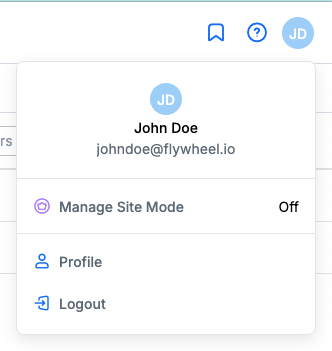
In the upper-right corner, select your account menu and select Profile.
-
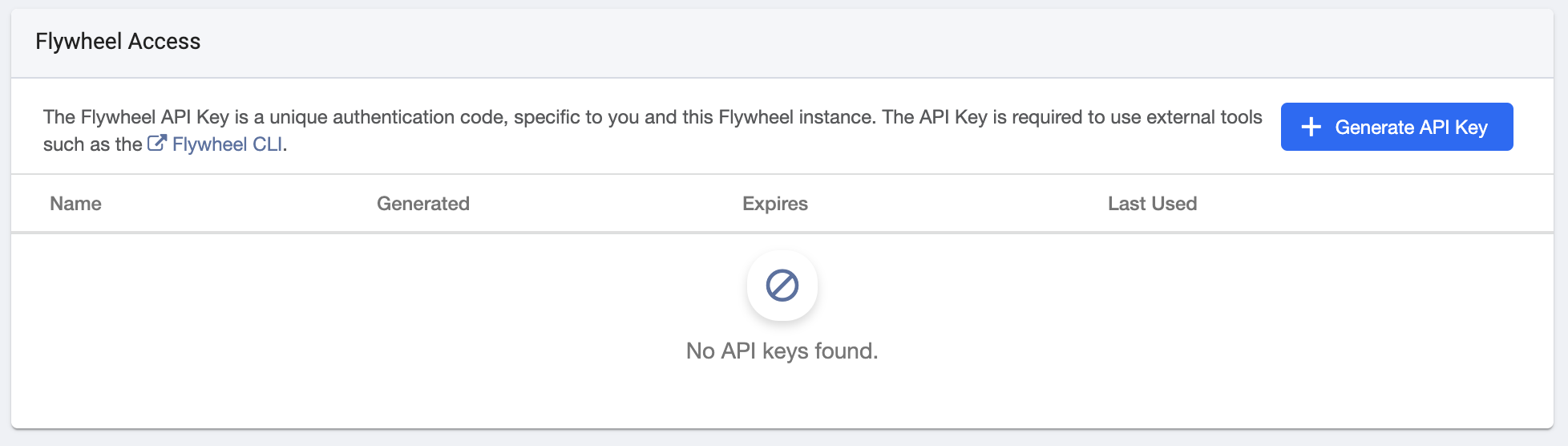
Scroll down to to the Flywheel Access section.
-
Click Generate API Key
-
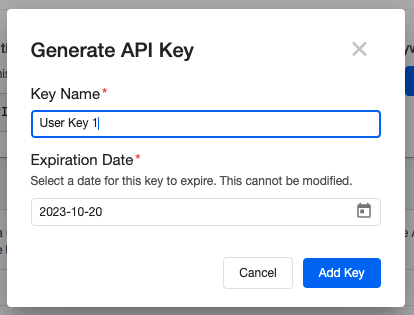
Provide a name for your key, select an expiration date and click Add Key.
-
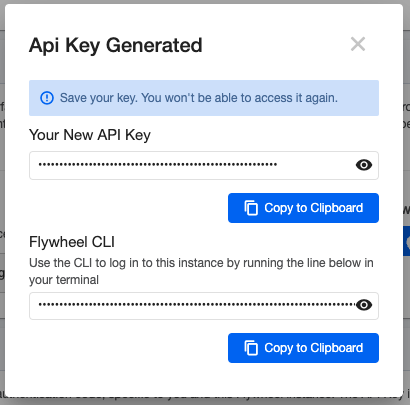
Copy the new key and save it securely. It will not be accessible again.
Generate an API Key (Legacy)
-
Log into Flywheel.
-
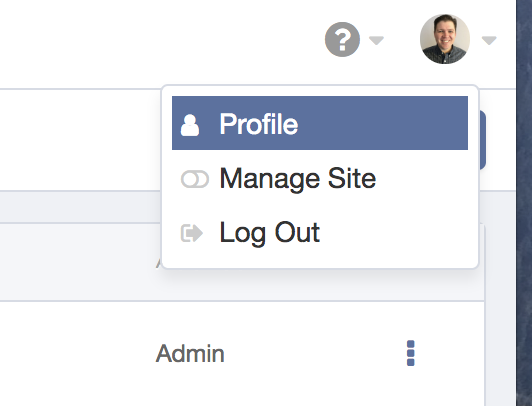
In the upper-right corner, select your account menu and select Profile.
-
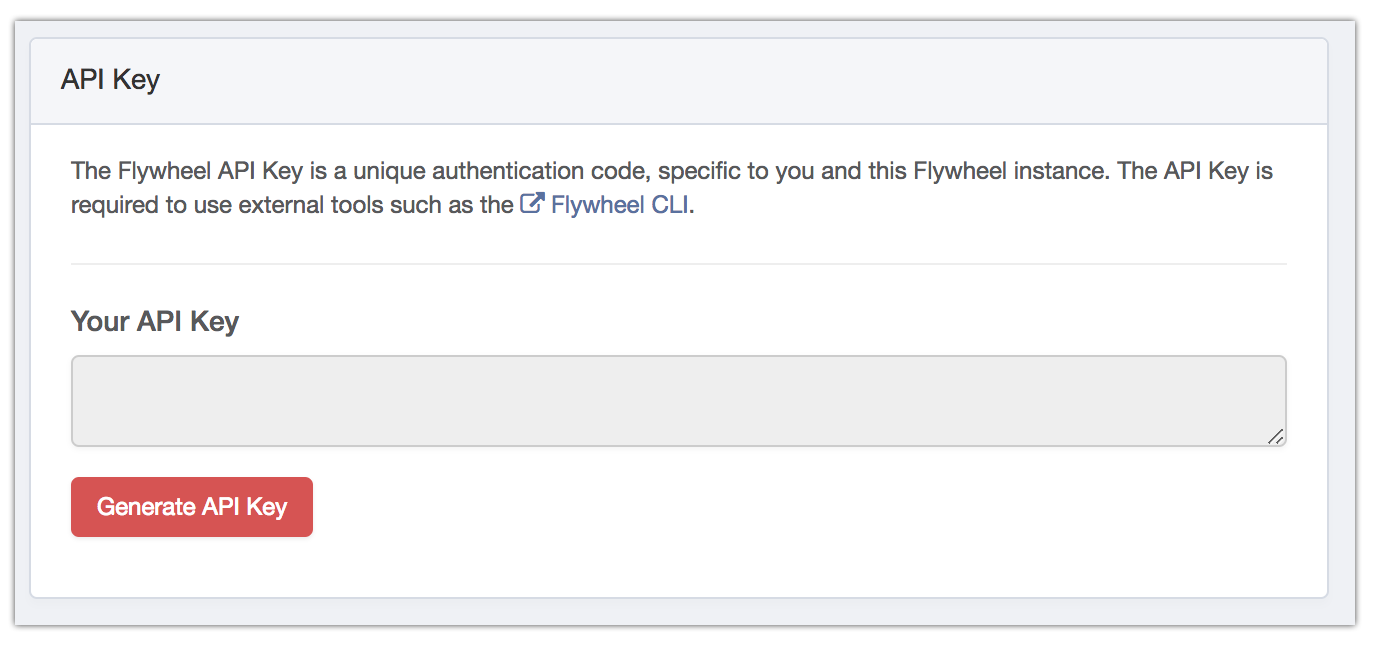
Scroll down to to the API Key section.
-
Click Generate API Key