Deleting Data
Introduction
Due to the sensitive nature of data in Flywheel, not all items are able to be deleted. This article explains which data can be deleted and how to do it.
Tip
If you delete something by accident, contact support for assistance recovering the data.
Instruction Steps
Permissions
Each delete action is controlled by a project permission. See the permission matrix for how each role is configured.
- Project: Delete Project (Admin project role only)
- Subject, session, or acquisition: Delete (Read-Write and Admin project roles)
- File: Delete Device Data or Delete Non-Device Data, depending on how the file arrived (Read-Write and Admin project roles)
- Analysis: Delete (Read-Write and Admin project roles)
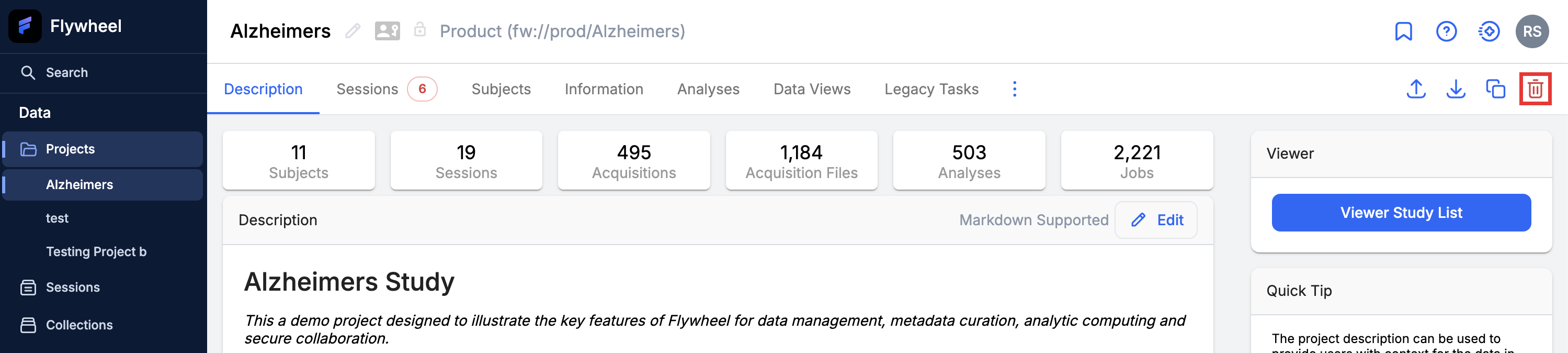
Projects
- Click Projects, and select a project.
- Click the delete icon () in the top right of the project page.
- Confirm you want to delete the project.
Subjects
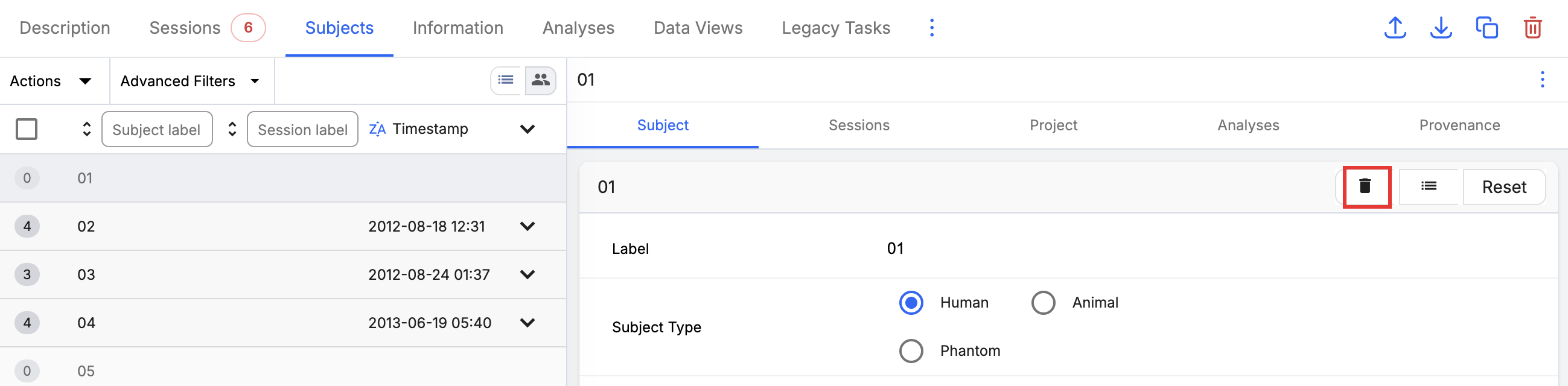
- Click Projects, and select the project that contains the subject.
- Click the Subjects tab, and select the subject.
- In the subject details panel, click the delete icon ().
- Confirm you want to delete the subject.
Multiple Sessions or Acquisitions
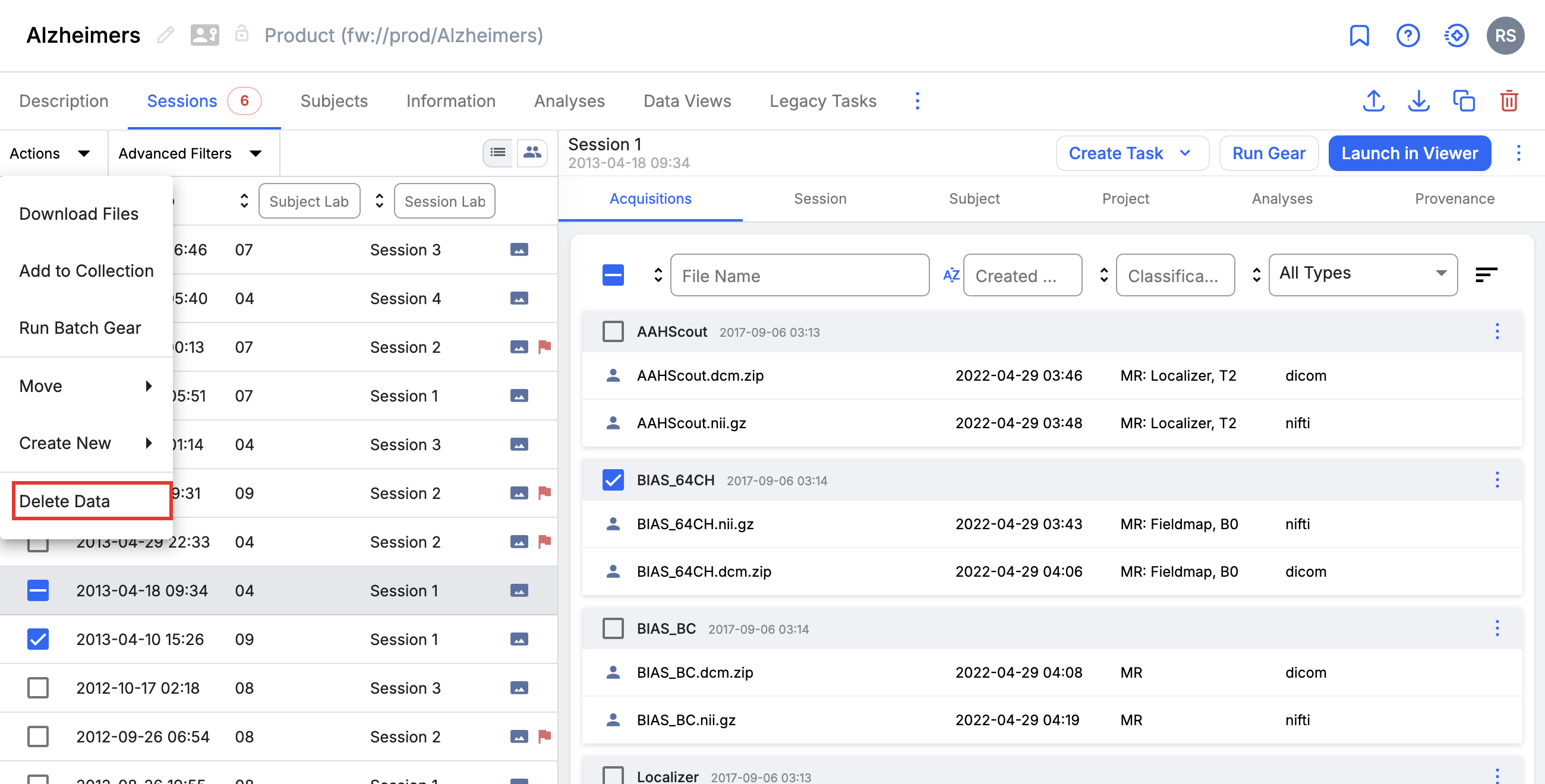
Use the Actions menu to delete several items at once.
- Click Projects, and select a project.
- Click the Sessions tab.
- Select the checkbox for each session you want to delete. To delete individual acquisitions instead, select a session and then select the checkbox for each acquisition.
- Go to Actions, and select Delete Data.
- Confirm you want to delete the data.
A Single Session
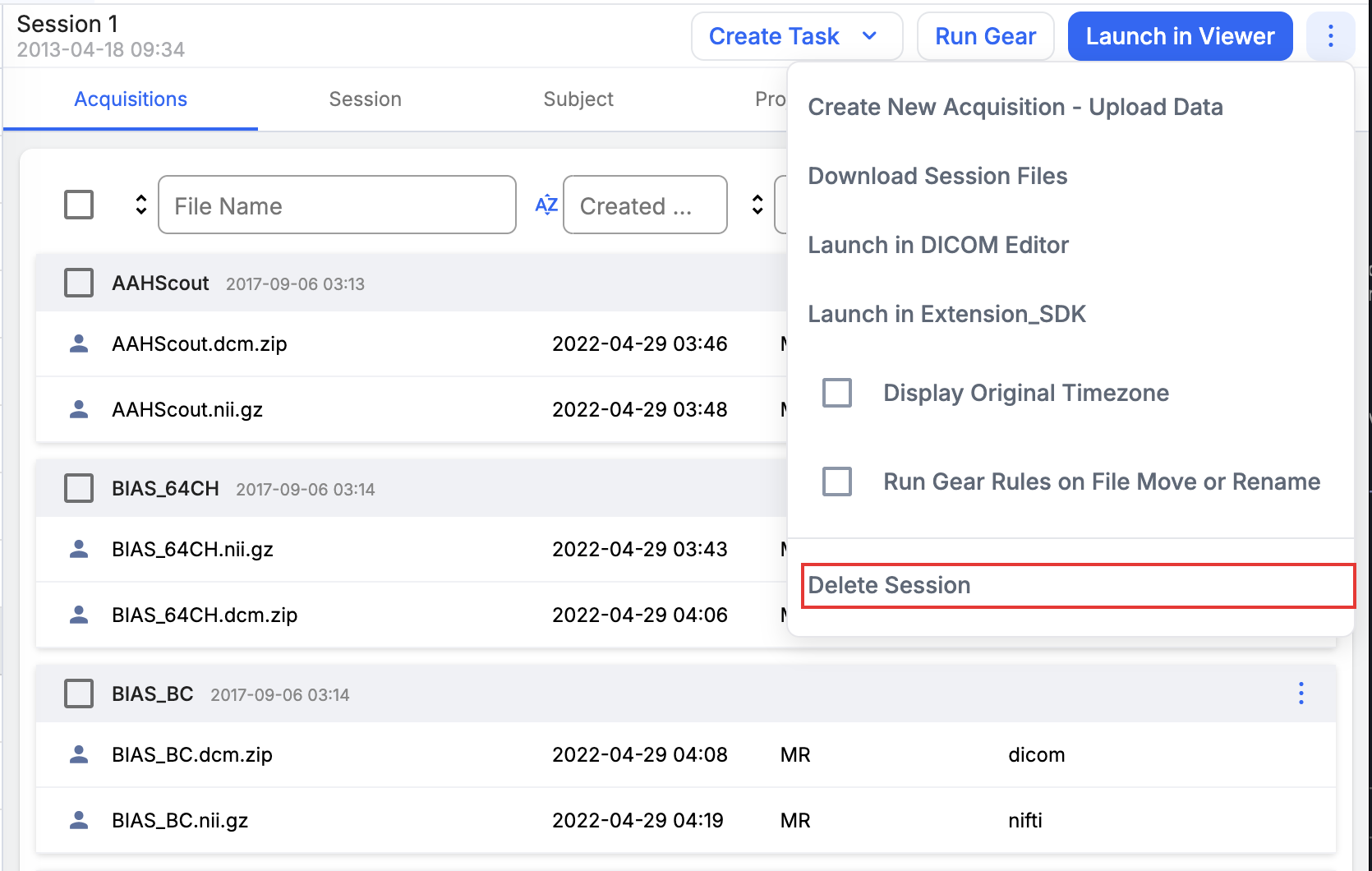
- Click Projects, and select a project.
- Click the Sessions tab, and select the session.
- Click the overflow menu () at the top right of the session, and choose Delete Session.
- Confirm you want to delete the session.
A Single Acquisition
- Click Projects, and select a project.
- Click the Sessions tab, select a session, and click the Acquisitions tab.
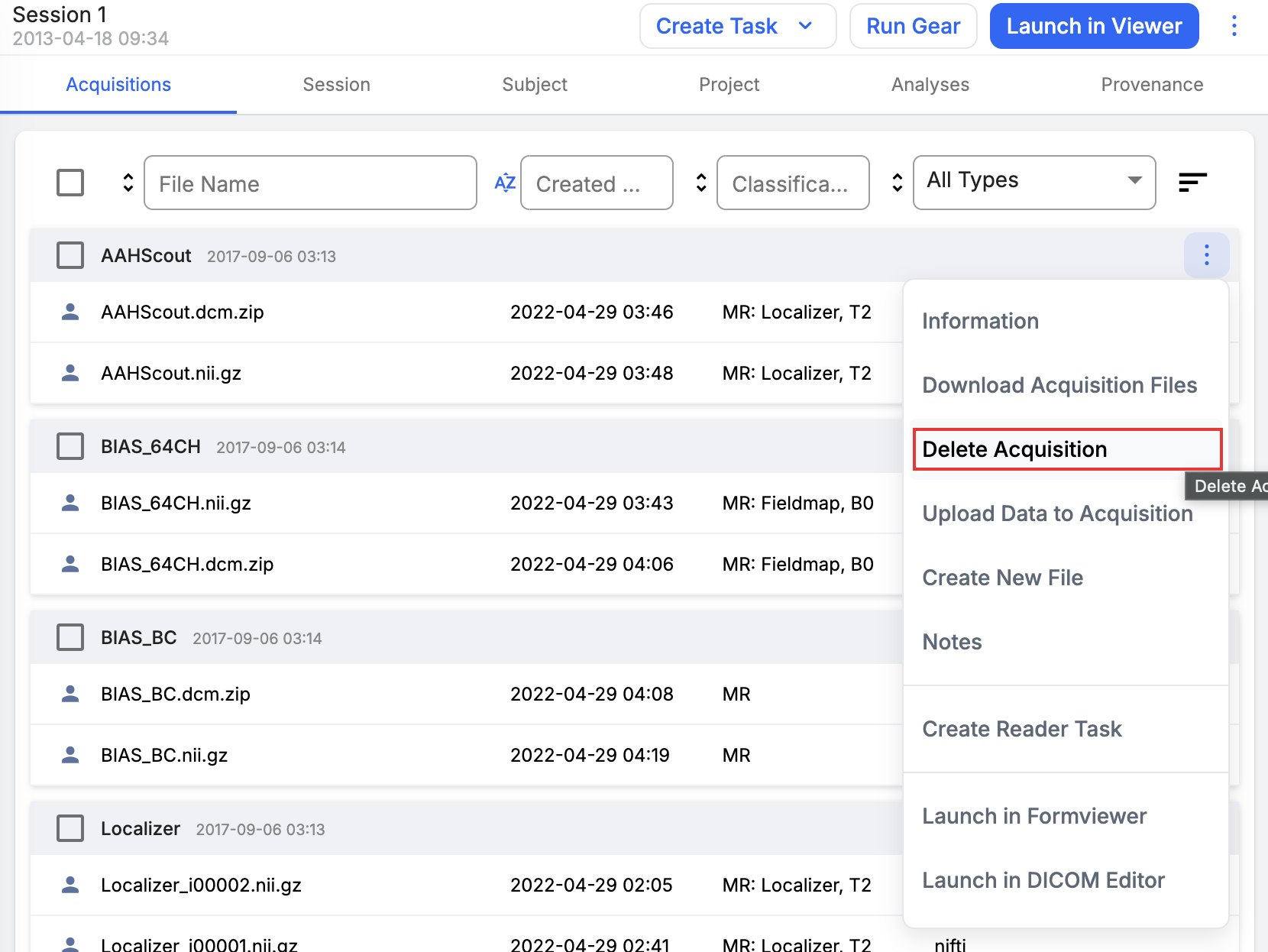
- Click the overflow menu () for the acquisition, and choose Delete Acquisition.
- Click Delete to confirm you want to delete the acquisition.
A Single File
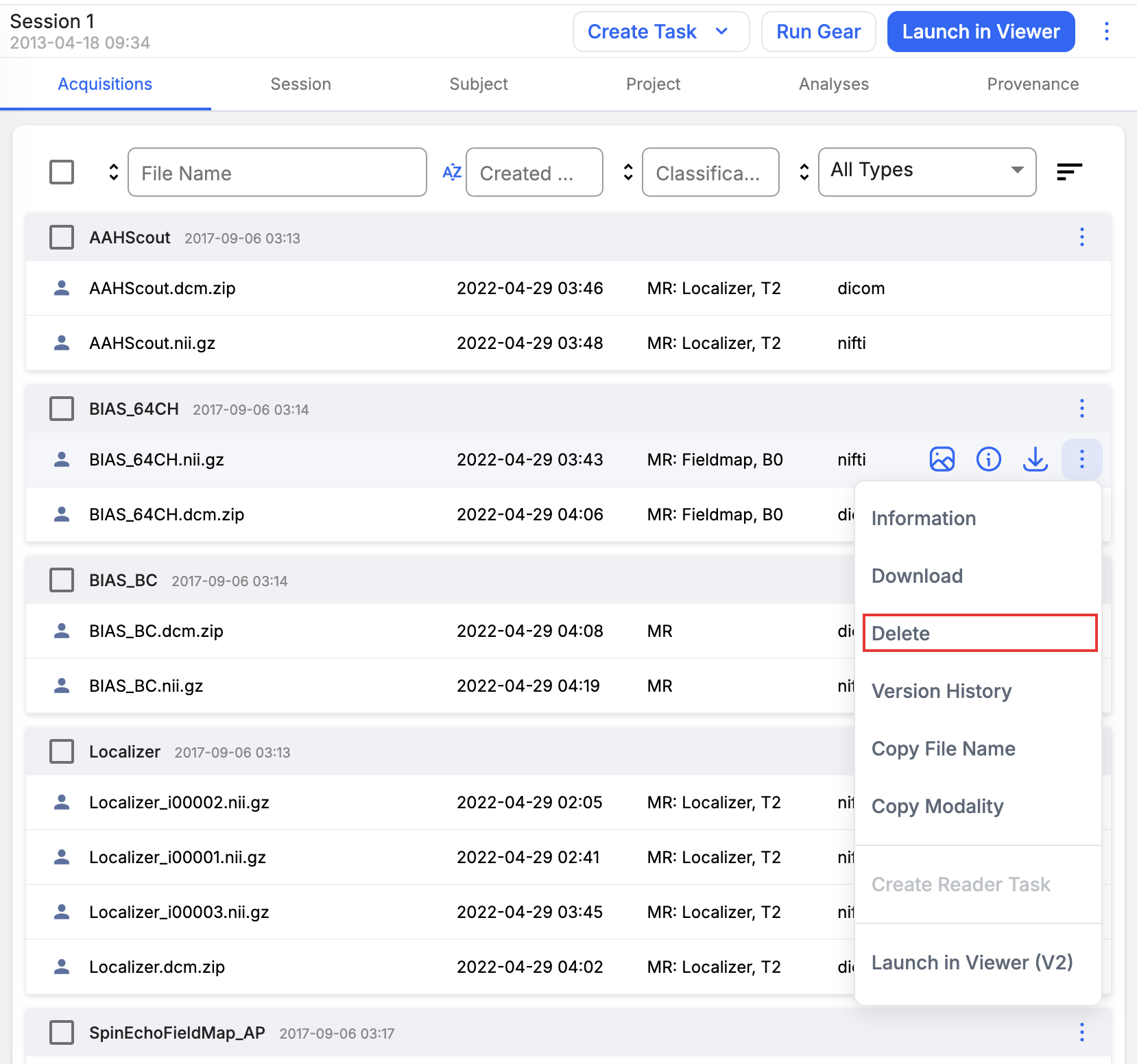
- Navigate to the acquisition or container that holds the file.
- Click the overflow menu () for the file, and choose Delete.
- Confirm you want to delete the file.
A Single Analysis
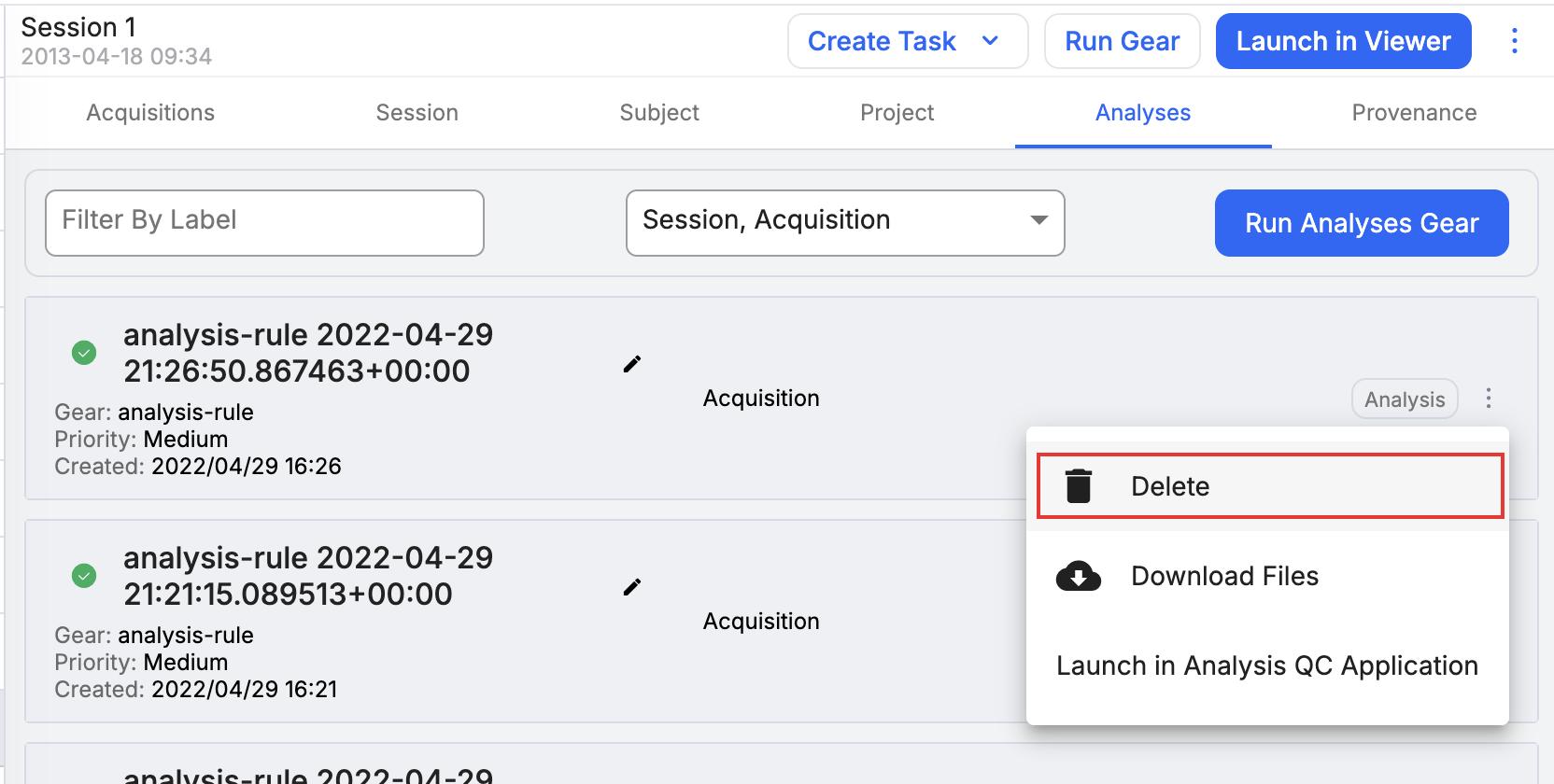
- Navigate to the container that holds the analysis, and click the Analyses tab.
- Click the overflow menu () for the analysis, and choose Delete.
- Confirm you want to delete the analysis.
Note
Deleting an analysis deletes its output files. For input files, only the reference is deleted; the source file remains untouched.
Additional Analyses
An analysis is bound to the files it takes as inputs, so removing an input file also removes the analyses built from it.
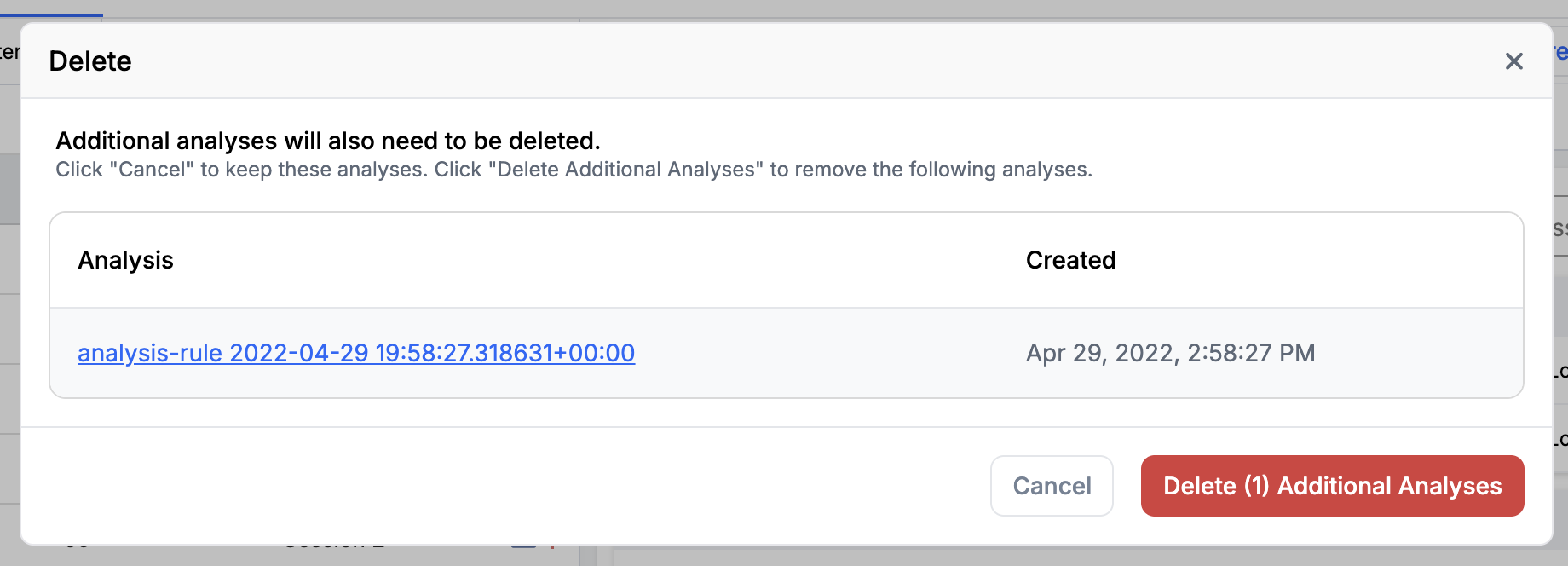
When the data you delete includes a file that one or more analyses use as an input, the Delete dialog reports that additional analyses must also be deleted. The dialog lists each affected analysis with the date it was created. Click an analysis label to open that analysis and review it before you decide.
To continue, click Delete (n) Additional Analyses, where n is the number of analyses listed. To keep your data and the listed analyses, click Cancel.
Caution
Continuing deletes every analysis listed in the dialog, not only the item you selected. Review the list before you confirm.
Flywheel shows this dialog for any delete that removes a file used as an analysis input, including deleting an acquisition that contains such files.
SDK
You can also use the Flywheel SDK to delete data. See the Python SDK documentation for more information.
Items that can't be deleted in Flywheel
To ensure reproducibility and to keep logs of what happens to data in Flywheel, certain items in Flywheel cannot be deleted by Flywheel admins. These items are:
- Flywheel Users: You can disable users to prevent them from signing in and to hide them from view
- Gears: Contact Flywheel support to remove unwanted gears
Soft deleting a user
The SDK can soft delete a user with UsersApi.delete_user. A soft deleted user can never sign in again and is permanently hidden from the user administration interfaces, so the account cannot be found or restored there. The User ID of a soft deleted user cannot be reused. Some areas of the product that display provenance information may fail to display the name and email of the user.
Use it only when a user must never be allowed to sign in again. To remove access while keeping the account visible and reversible, disable the user instead.
Note
If there are other items that you are unable to delete, it may be because you do not have the proper permissions.