Reviewing Completed Tasks
Overview
Once a task has been completed, it is still available in the task list to the assignee and to a study manager. Completed tasks can be reviewed and opened in the viewer, but cannot be edited.
Reviewing a completed task by opening the task card
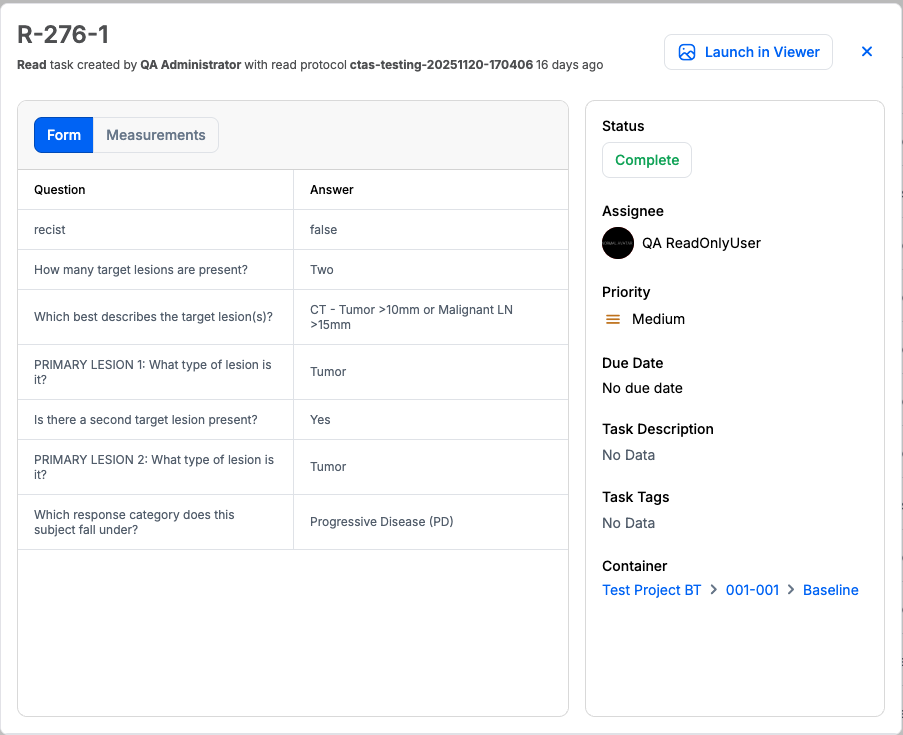
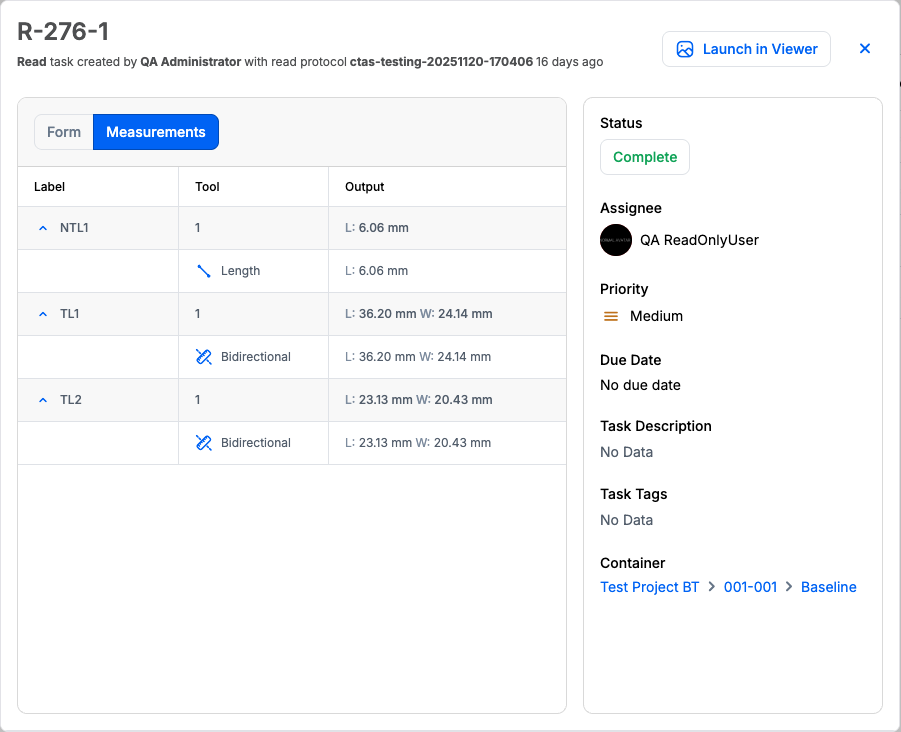
When a task is completed, the form answers and annotations are summarized on the task card. Other task information like the status, the assignee, the priority and the due date can no longer be edited.
Form answers are summarized in the Form tab on the task card.
Annotations summary is available in the Measurements tab on the task card. Annotations are grouped by label and presented with the relevant metrics.
Reviewing a completed task in the viewer
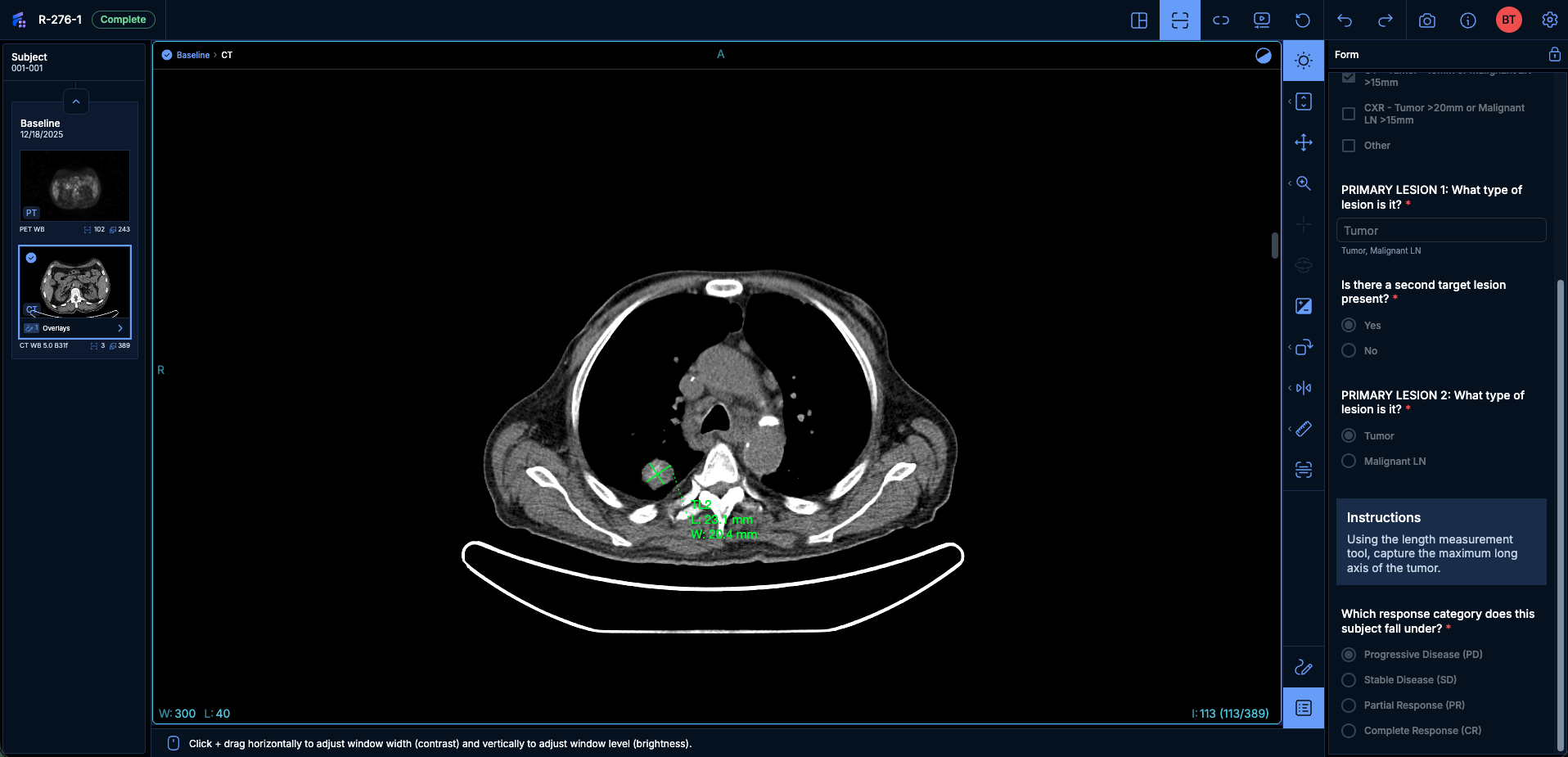
A completed task can be launched in the viewer in read-only mode. When a completed task is opened in the viewer, form answers and annotations can be viewed but cannot be edited.
Cloning a Completed Task for Verification
A Task Creator can clone a completed Read Task to start a verification workflow. Cloning carries forward the original task's form responses as pre-filled values on the new task, so a designated verifier reviews and edits a pre-filled form instead of starting from a blank one.
Not the same as the Legacy Tasks 'Clone Task'
This action is specific to Tasks Manager and carries the original form responses forward for verification. It differs from Clone Task in Legacy Tasks, which reuses an existing task's setup to create new tasks and does not carry form responses.
To start a verification workflow:
- Open the completed Read Task you want verified.
- Select Clone from the task's action menu.
- Assign the new task to the verifier and set a due date.
The new task opens for the verifier with every form field pre-filled with the original reader's responses. Fields that were left blank in the original task remain blank. The clone retains the form version the original task was completed with, even if a newer protocol version has since been published, so the responses stay aligned to the questions that produced them.
The verifier can accept a field as submitted or edit it, taking ownership of any field they change. Pre-filled values are not visually distinguished from values the verifier enters; the audit trail is the record of who entered or changed each field. The audit trail records exactly which fields were modified, so each participant's contribution remains clearly identifiable for compliance purposes. See Audit Trail for more information.
Scope
Cloning with pre-filled responses applies to Read Tasks. Adjudication Tasks — the adjudication subtype of the Read Task type — and their associated Reader Tasks cannot be cloned.